Get Started in 3 Easy Steps
Create Your Account
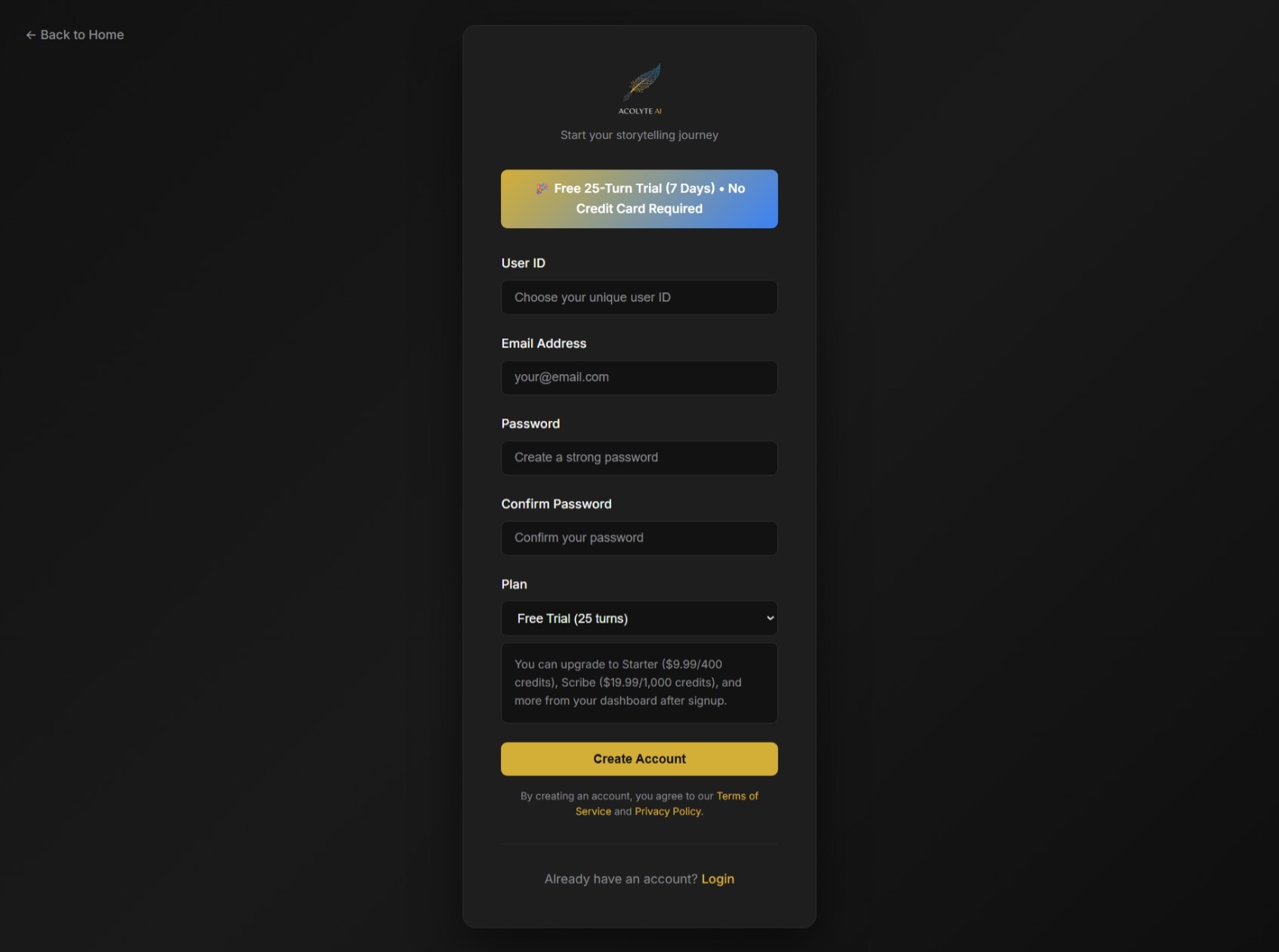
Sign up for your free trial. No credit card required. Get instant access to 50 free credits for 7 days to experience our Lite engine.
Get Your API Key
Go to your dashboard and copy your unique Acolyte AI API key. This key connects your storytelling tools to our powerful narrative engine.

Connect to SillyTavern or RisuAI
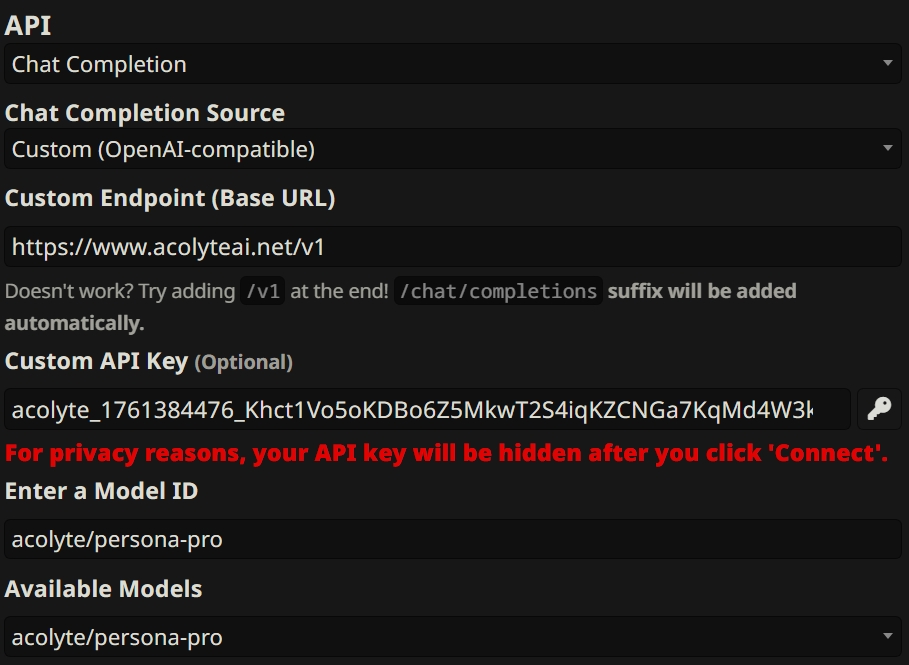
Open your SillyTavern or RisuAI API settings, paste your key and our URL, and select your preferred Acolyte model: Persona Lite, Persona Pro, or Narrator Pro. Start creating stories that never forget.
A New Way to Pay: Your Privacy, Your Story
Acolyte AI now supports secure card and local payment methods through Dodo Payments, with crypto still available through NOWPayments if you prefer to pay on-chain.
1. Choose Your Payment Method
Pick the standard checkout for cards and local payment methods, or switch to crypto if you want to pay with Bitcoin, Ethereum, USDT, and more.
2. Choose Your Acolyte Plan
Select your desired plan on our pricing page. When you're ready to subscribe, you'll be directed to a secure hosted checkout for the payment method you selected.
3. Complete Your Payment
Dodo handles card and local payment methods, while NOWPayments provides a unique crypto address and QR code when you choose crypto. Your credits are added automatically after confirmation.
Estimate-Only Mode (SillyTavern)
Preview credit usage before generating. No API calls are made and no credits are charged.
1) Enable in SillyTavern
In SillyTavern: Settings → API → OpenAI-compatible. Set your API URL and model, then open Additional parameters and paste:
{ "estimate_only": true }2) Choose Model & Options
Select the persona model that fits your session. Click to copy the model identifier for your client setup.
3) Read the Estimate
You’ll receive a normal assistant message that shows the minimum and maximum credits. It also indicates Start: cold or warm based on whether plans already exist in your history.
To return to normal generation, remove "estimate_only": true from Additional
parameters.
Hide Think Mode
Hide the visible AI planning / thinking block in your chat. Includes thinking duration.
1) Enable in SillyTavern
In SillyTavern: Settings → API → OpenAI-compatible. Open Additional parameters and add:
{ "hide_think": true }2) Thinking Duration
When enabled, the plan will appear in a <details> block showing exactly
how
long the AI spent planning (e.g., plan (2.4s)).
3) Visible by Default
Acolyte shows these blocks by default to keep your chat informative. Adding
"hide_think": true will hide them and keep your chat cinematic.
4) Legacy Think Tags
Prefer the old <think> tags? Use this parameter:
{ "use_think_tag": true }Essential: SillyTavern "Think" Setting
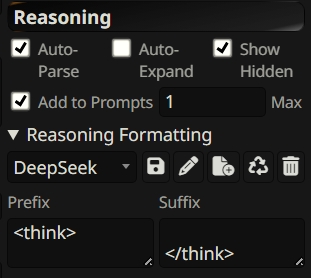
For Acolyte to maintain context and planning consistency, you must enable the "Think" setting in SillyTavern. This ensures the previous planning block is included in the history sent to the model.
Ready to Transform Your Storytelling?
Join thousands of creators who've discovered the power of a smarter story.
Start Your Free 50-Credit Trial (7 Days)